
Bitcasa – A Great Alternative To Dropbox

 This article is over six months old. Which means the information below may be out of date. Please keep this in mind whilst reading this article.
As we all know, Dropbox is a great service and since it’s first release a few years ago there have been many alternatives popping up here there and everywhere. Ubuntu One, Google Drive, SpiderOak, Wuala and SugarSync to name but a few. Bitcasa is the latest addition to this list, but it has one major difference from the rest – there are no storage limits!
Yes, you did hear me correctly. Bitcasa has absolutely no storage limits for free! Now before you get too excited and go off to sign up for a Bitcasa account, the free unlimited storage accounts are only free whilst the product is in beta (which isn’t much longer), after which you will be able to get 10GB of free storage or upgrade to an unlimited account for $10 per month.
With most of it’s competitors offering somewhere in the region of 2 and 5 GB for free, the 10GB you get for free is very generous indeed. The $10 a month for an unlimited account is also very well priced, especially when you consider that Dropbox charges $9.99 per month for just 100GB.
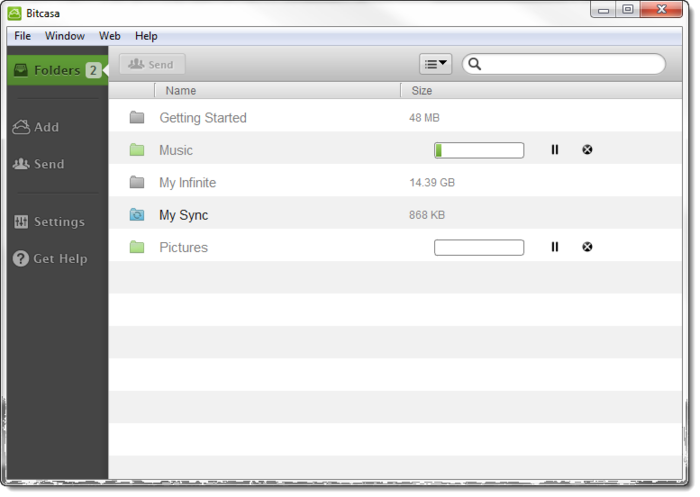
Like Dropbox and many other of it’s rivals, Bitcasa offers online backups and also a syncing solution between your machines. Bitcasa has clients available for Windows, Mac, Linux, Android and iOS is on it’s way soon. So it is every bit as diverse as the Dropbox clients that are avaialble. There is of course also the option to manage your Bitcasa account via your web browser.
In my tests Bitcasa worked really well and with it’s infinite storage capacity it’s a really great solution for users who want to backup large amounts. If you have less than 10GB you want to sync/backup then I would recommend Bitcasa over the rest. However, if you’re somewhere in the middle like me; backing up/syncing over 10GB of data but not really enough to warrant a limitless account (or even a 100GB account from Dropbox for that matter) then I would still recommend Ubuntu One with it’s 20GB packages over the rest.
If you’re interested in a Bitcasa account then why not head on over to their home page and sign up for a free account.
What’s your syncing tool of choice? Why not tell us which and why in the comments section below…






Pingback: Why Every Household Should Own a NAS Drive | RefuGeeks