
Get A Real Start Menu In Windows 8 With StartIsBack

I’ve written about Windows 8 quite a lot in the past and on day 6 of my week with Windows 8 I explained how you can make Windows 8 work a little more like a traditional Windows desktop. Within that article I used a tool called Classic Shell in order to get my Windows 8 desktop back to how I like it. However, I’ve since found a much more mature and functional application called StartIsBack.
StartIsBack takes your Windows 8 desktop and turns it back to the classic desktop that all Windows users will know and love. But what really sets StartIsBack apart from the rest is that the start menu button can be customised, the colour of the start menu automatically changes to be the same as your taskbar and Windows borders and finally, you can customise it in exactly the same way as the Windows 7 start menu – adding & removing extra buttons like the run menu.
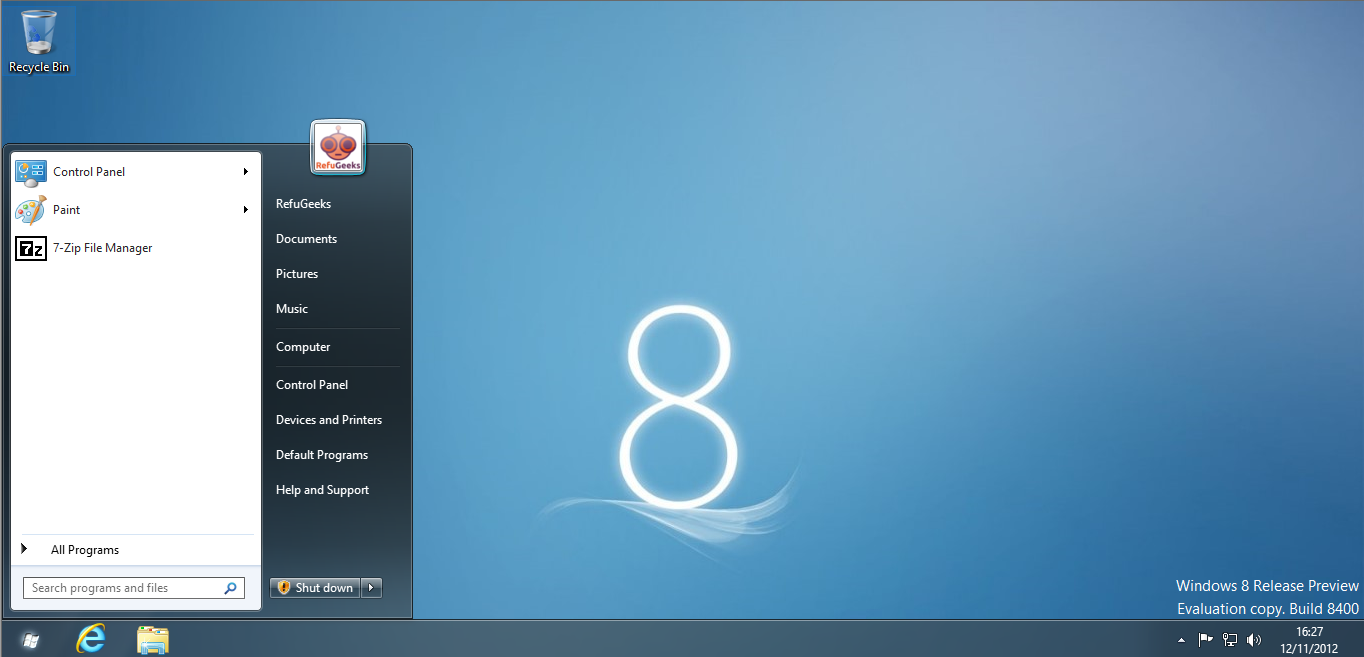
My Windows 8 Deskop Running StartIsBack
In the screenshot above I have customised the start button. If you want the same one you can get it from here. By default StartIsBack uses the Windows 7 default start button.
The installation of StartIsBack is extremely easy – it’s just a two window wizard and then everything is setup for you automatically. Once installed you will be logged off automatically. Then once you log back in, StartIsBack will automatically bypass the Windows 8 tiled menu and instead give you a traditional desktop like the one above.
If you want to tweak StartIsBack all you need to do is right click on your start button and select “Start Menu Properties”. In this windows you will be able to add/remove buttons from your start menu and also change to a custom start button.
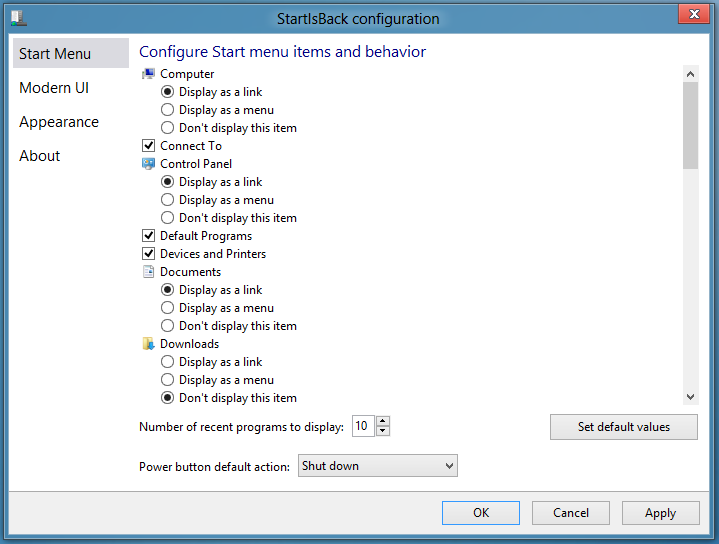
StartIsBack Configuration Window
StartIsBack is a fantastic tool for anyone wanting to have a traditional desktop on Windows 8. It’s so good that it has cemented my plan to upgrade my one and only Windows 7 machine to Windows 8. Unfortunately StartIsBack isn’t free but it is extremely cheap, at only $3.00 for activation on 2 PC’s or $5.00 on 5 PC’s you really can’t go wrong.
You can download a 30 day free trial or buy StartIsBack from their website.
Are you using Windows 8 yet? Is there another tool that you use to make Windows 8 work better or do you prefer stock Windows 8? Why not come and discuss it some more in our forums.
Finally I’d like to thank my really good friend from work, Dave Norris for the tip.




-
Anonymous
-
https://refu-archive.kevquirk.com/ Kev Quirk
-
Anonymous
-
https://refu-archive.kevquirk.com/ Kev Quirk
-
Frylock86
-
https://refu-archive.kevquirk.com/ Kev Quirk
-
Bob
-
-
Bob
-
-
scpdgearhead