
How To Get 16GB Of Dropbox Space For Free The Easy Way

 This article is over six months old. Which means the information below may be out of date. Please keep this in mind whilst reading this article.
Dropbox is arguably the best cloud syncing/backup service around. They have client applications for all major computer and mobile operating systems so it’s a truly versatile companion for storing your files.
But the downside to Dropbox is that you only get 2GB of storage space with their free account out the box and with most others like Ubuntu One and Google Drive supplying 5GB for free, this is a frustrating fact.
However, Dropbox do have a referral scheme were you can gain up to a maximum of 16GB for absolutely nothing. Here are a couple of tips for increasing your Dropbox storage quickly and easily.
Dropbox Tasks
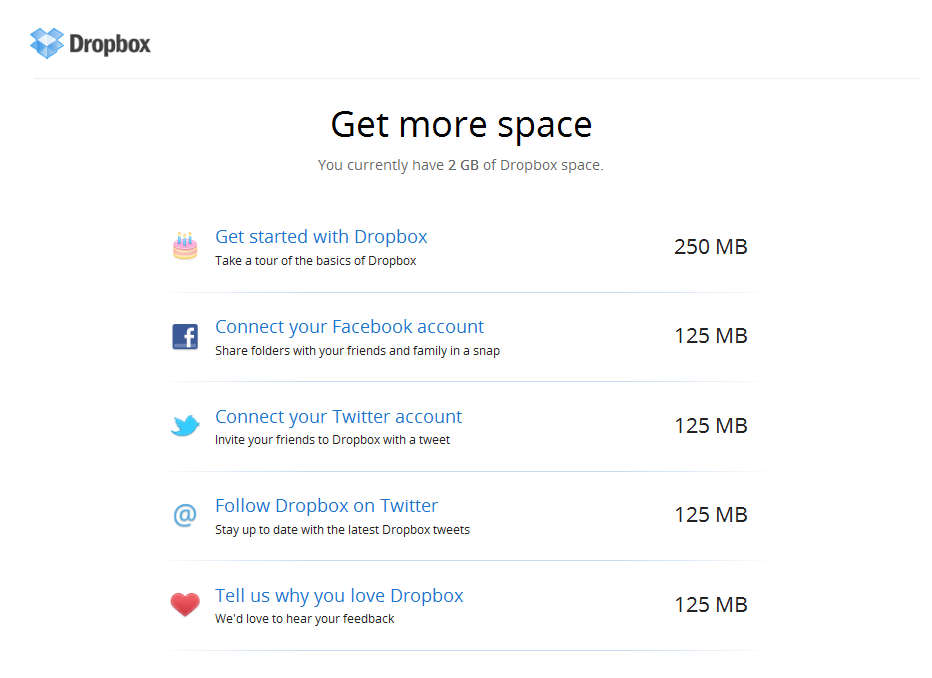
As its name suggests, there are some ‘tasks’ you can run once you’ve registered for a Dropbox account that will give you extra storage. They are simple tasks like running through a ‘get started’ guide, connecting Facebook & Twitter to your Dropbox account and following Dropbox on Twitter.
Once you’ve finished all these steps you can should have added an additional 750MB of storage to your Dropbox account.
Dropbox Referrals
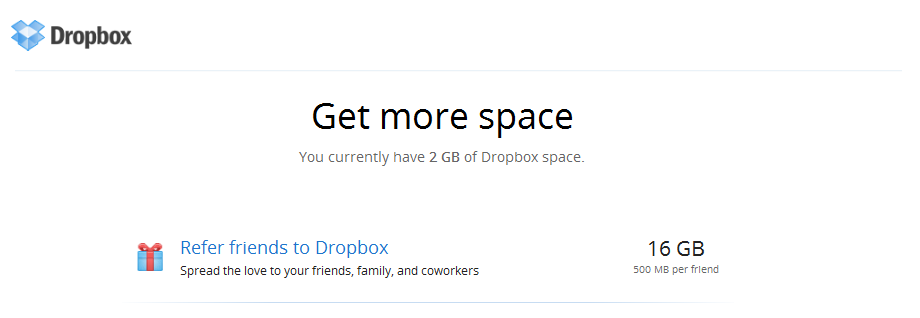
This method of increasing your storage is a done via a referral method whereby you get an extra 500MB of storage for every friend that uses your unique referral link to register for a Dropbox account.
However, the maximum size can not exceed 16GB from referrals so you will need to send invitations to 32 friends and they all need to sign up in order to get your 16GB. Before you go signing up for 32 Gmail account and registering them all to your PC, it’s not quite as simple as that – the guys over are Dropbox aren’t that silly. But there is a way around it…
This trick was discovered by jjjn (a blogger on TuxPlanet). jjjn realized that only the MAC address of the network card was used to identify users uniquely. So, if you want to register 32 times from the same machine you need to change your MAC address every time you register a new ‘friend’. It may sound complicated but it isn’t really. Here’s how to do it…
- Create multiple email addresses using Mailinator. This will allow you to create and check multiple temporary email addresses easily.
- Create as many Dropbox accounts as your fictitious email addresses, using your referral link. You can get your referral link by clicking on the “get free space” link at the drop of the dropbox page.
- Login with one of your 32 email accounts and setup the Dropbox app on your machine.
- Once activated you will receive an email saying your storage has been increased.
- Unlink this account from your Dropbox app from the Dropbox preferences window.
- Change the MAC address on your machine using this guide (you need to be on a Windows based machine).
- Repeat steps 3-6 until you have 16GB of storage.
Once the work is finished, you are the proud owner of 16 GB of free Dropbox storage space. There are other ways of doing this using Ubuntu Live CD’s but we have found this to be the quickest and easiest way of getting the storage space you need. Enjoy!





-
jh
-
Dropbox
-
vasukinv
-
mirabe
-
Felix
-
k
-
Edward
-
Anon


