
HP Envy Sleekbook 6 Review

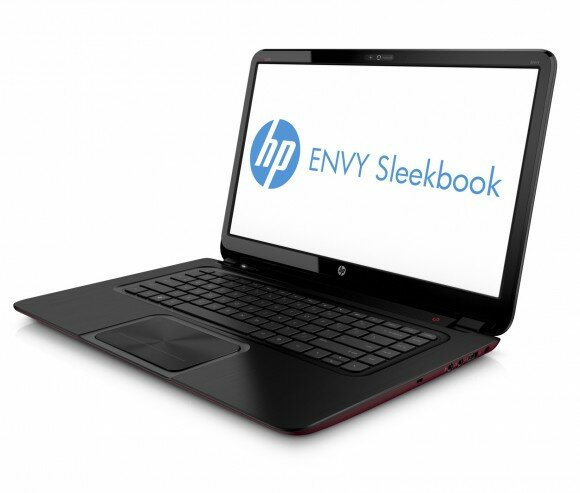
Regular readers of RefuGeeks will know what we don’t really do many hardware reviews, but last week I treated myself to a new laptop so I thought I’d write a quick review about the device. The laptop I opted for was a HP Envy Sleekbook 6 – it can’t quite be called an Ultrabook as this is a trademark of Intel that requires a device to have an Intel CPU and also an SSD, neither of which the Sleekbook has. So HP decided to give it an alternative name - ‘Sleekbook’.
Specification
So my Sleekbook doesn’t have an Intel CPU or an SSD so what does it have? Well the Sleekbook 6 sports an AMD A6-4455M dual core APU (Aggregated Precessing Unit) with an AMD Radeon HD 7500G within the same chipset - hence the APU title instead of CPU/GPU. It also has 6GB of RAM, a 500GB 5400RPM HDD & finally a 15.6″ 1366×768 LED display. Here is a full list of what the Sleekbook 6 has to offer:
[checklist]- Genuine Windows® 7 Home Premium 64
- AMD Dual-Core A6-4455M 2.6GHz APU processor
- 6GB memory
- 500 GB SATA (5400 rpm)
- 39.6 cm (15.6″) HD BrightView LED-backlit (1366 x 768) Display
- AMD Radeon HD 7500G Discrete-Class Graphics
- Beats Audio speaker system
- Featuring Wi-Fi, Bluetooth, HD Webcam & Microphone
First Impressions
Now I’m not a gamer, I use my machines for blogging, surfing, social networking, email and some small graphic manipulation for the RefuGeeks & DroidHQ artwork. So I don’t really require a powerhouse of a laptop. However, I work a lot on my machines so I do expect them to be snappy.
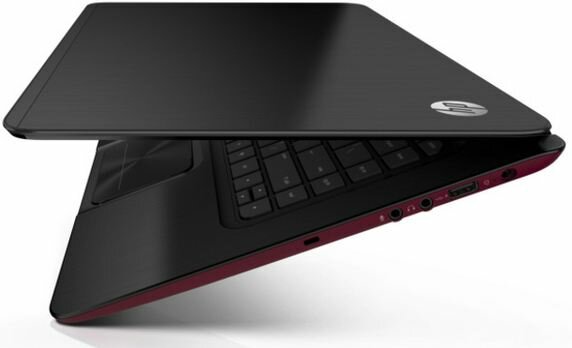
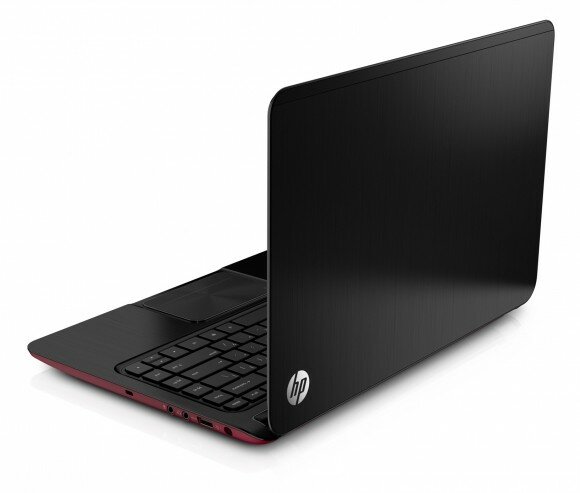
The look of the laptop is quite frankly gorgeous, with it’s ultra low profile and really light design it’s modern, clean and feels very well built. The casing is made of brushed aluminium and has a red, soft touch case at the bottom. This is a really nice contrast and makes to laptop really stand out from the crowd.
However, the keyboard surround just loves finger prints so after a few hours of usage you will need to get some polish on it if you want it to maintain it’s immaculate look.
Performance
At first I was a little dubious of the AMD A6 APU and almost opted for the Core i3 version, but I decided to take a punt on it – after all, I could always return it if it wasn’t acceptable. I have to say though I’m happy I did. The AMD A6 is a more than capable processor and with it being ultra low power I’m getting around 7-8 hours of usage from a single battery charge.
The first thing I did to the Sleekbook was to remove Windows 7 and replace it with my beloved Ubuntu. I did this with a USB stick as the Sleekbook doesn’t have an optical drive. The performance whilst running Ubuntu is excellent, there is no lag on applications and multi-tasking is absolutely fine. Everything also worked right out of the box.
I wanted more performance though, so I opted to upgrade the 500GB standard hard drive to a 120GB SSD. Because of the slimline look of the Sleekbook I had to get a slimline 7mm SSD which are quite a lot more expensive that standard ones. Here is a link to the one I bought.
Once the new SSD went in and I restored my backup to it the performance was exceptional. From pressing the power button to getting a logon prompt takes around 8 seconds. Opening applications like LibreOffice, Chrome and Thunderbird is practically instantaneous and because there are no moving parts in the SSD, power consumption is decreased which means even more life out of my battery.
What I Don’t Like
The only real bug bearer that was close to being a deal breaker is the screen. It’s a shame to see that there is no HD screen and that it only has a resolution of 1366×768. Whilst this is a perfectly usable resolution and it’s fine for me to work with, HD is almost a standard on screens in our days. Also, with the graphics card being more than capable of handling HD output (I know as I hooked it up to my TV via HDMI) its a real shame to see that a HD screen wasn’t included. However, with the build quality and other components being so good, HP had to save the money somewhere.
The space bar is a real annoyance for me. As you can imagine, I do a lot of typing and most of which is done by touch typing. I keep finding that I have to press down on the space bar with more force than is required on other keys for it to register. This can be quite annoying as I constantly find myself going back a word every now and then to add a space. Whilst not a major issue for me as I tend to look at the screen as I type, this could be a big problem for typists who only look up at the screen at the end of a sentence or paragraph.
Update: The keyboard issue was actually a hardware fault. I’ve since sent the laptop back to HP, the keyboard has been replaced and it’s now perfect.
The final thing I don’t like about the Sleekbook is the touchpad. It’s one of these new fandango ones with a single button integrated into the pad. Much like the Apple ones. It’s multi touch which means that right-click is achieved by tapping the pad with two fingers. This is really taking some time for me to get used to. Luckily, I don’t use the mouse that much as I tend to use the HUD and keyboard short cuts mostly – however, this is still a real pain in the behind to use. Hopefully I’ll get used to it with time though.
Conclusion
The HP Envy Sleekbook 6 is a brilliant mid-range laptop. It has great looks and is well specced for the price. There are some negatives to the device but this is a trade off that I am willing to put up with because of the relatively small price compared to other laptops with similar specifications and looks.
All in all, if you’re after a mid-range laptop that is capable of doing most things whilst looking really good then you should really give the HP Envy Sleekbook 6 some consideration. I’m very happy that I bought it – plus with my HP staff discount, it was a steal. :)

Pingback: How To Get Ubuntu To Work With UEFI | RefuGeeks()
Pingback: Fedora Day One: Installation | RefuGeeks()