
Linux Deepin 12.06 Review

I’ve been meaning to review Linux Deepin for quite some time now and I’ve finally had a chance to create virtual machine and put it through it’s paces. For those of you that don’t know, Linux Deepin is a highly customised Ubuntu/Gnome 3 distribution that focusses and ease of use and good looks. So let’s take a look…
First Impressions
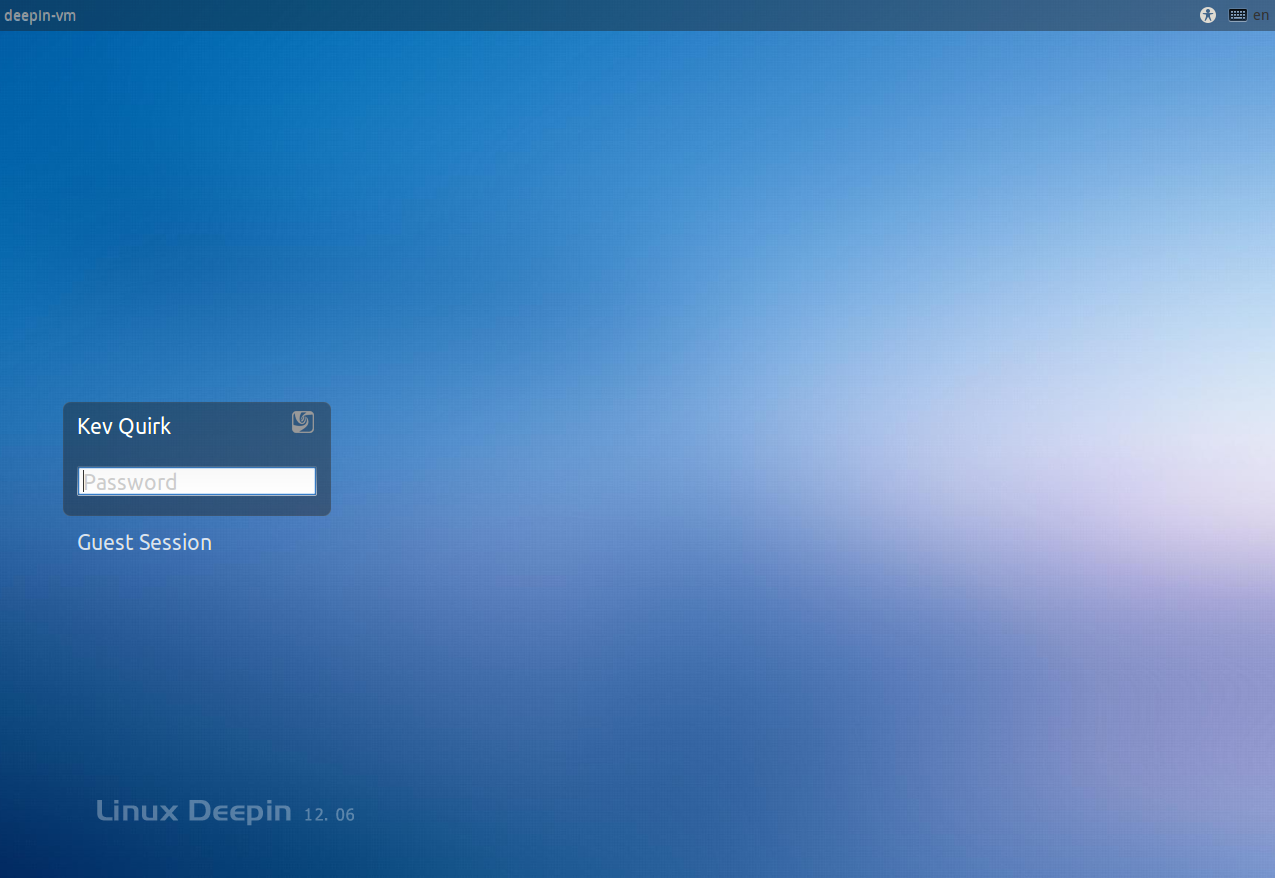
The first thing I noticed about Deepin is that it uses the Ubuntu LightDM logon screen and like the Ubuntu logon screen, the background changes depending on the selected users wallpaper. I personally love the Ubuntu LightDM logon screen, it’s modern, crisp and really pleasing on the eye. This gives a great first impression of the distro and gives it a very modern look.
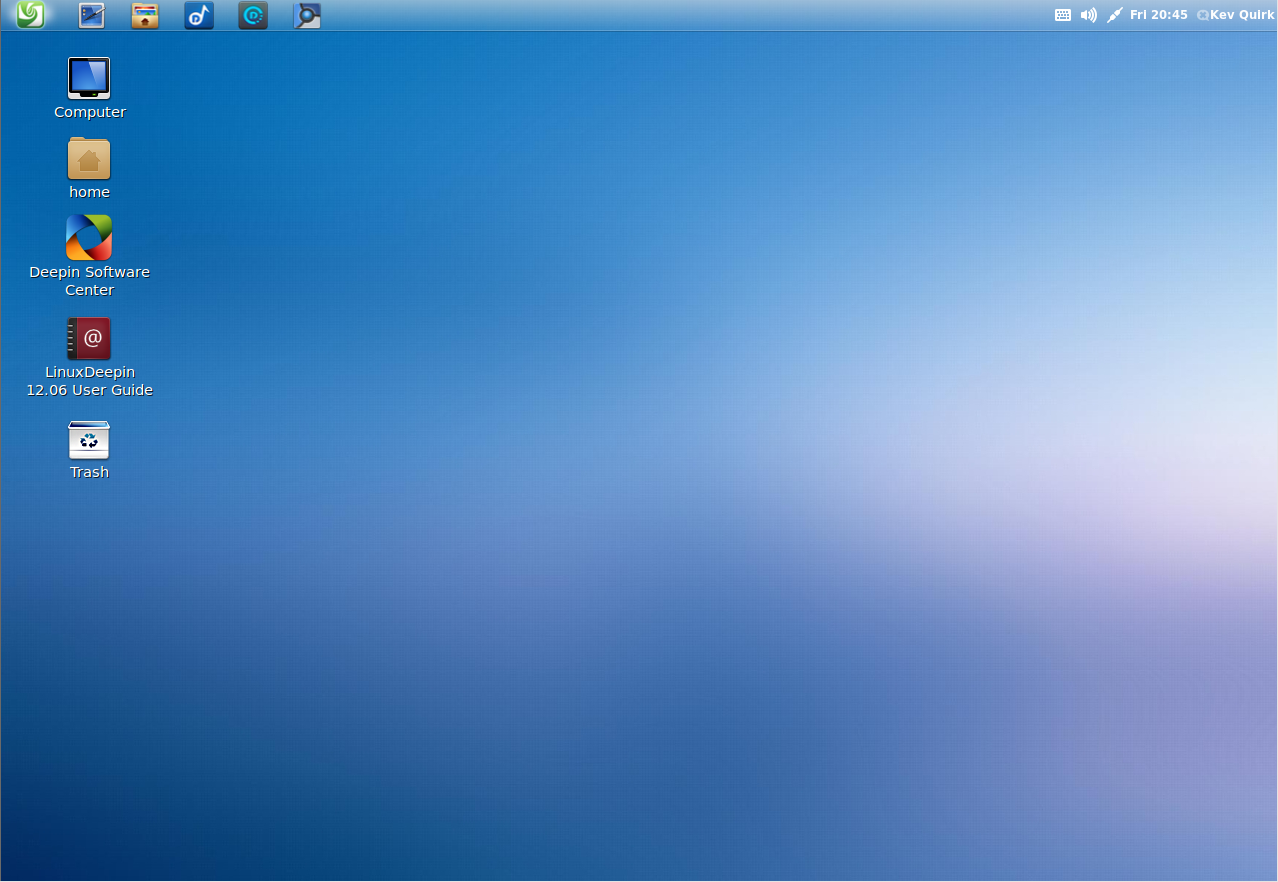
Once you login, the default desktop carries on the clean and modern look from the logon screen. With transparency effects in the panel, a minimal wallpaper and only a handful of key shortcuts, it looks really cool.
Default Applications
Deepin’s developers have created a raft of applications that are unique to Deepin. These include a software centre, movie player, music player & screenshot tool. They are all really well developed by the looks of things, although I’m not sure how much I would personally use these applications over my favourites such as Rhythmbox, VLC & The Ubuntu Software Centre.
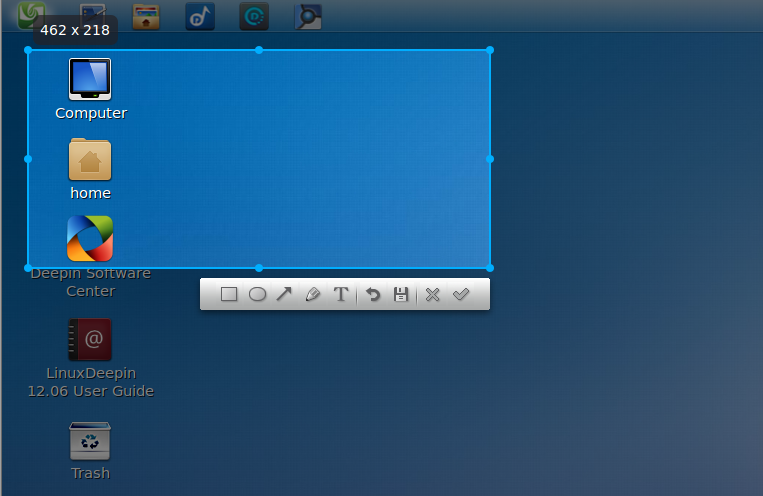
However, the screenshot utility is a different matter. In my opinion it is far better than my usual screenshot app – Shutter. All you need to do is press PrintScrn and the little app pops up to allow you to take screenshots. I was very impressed with this.
With regards to other default applications, all of the usually suspects are present and correct. Firefox, LibreOffice, Brasero, Gedit etc.
Performance
Well as I mentioned earlier in this review, I’m running Deepin inside a Virtual Machine on my work laptop (Core i5, 6GB RAM). I’ve given it 1GB RAM, a single core CPU and 3D graphic acceleration. I could have given it much beefier specs but I decided to keep them modest to see how it performs.
All in all the performance is excellent. Opening applications, flipping around and navigating around menu’s is extremely slick. Idling with no applications running, Deeping used a little over 170MB of RAM. So even with my modest 1GB of RAM, there was plenty left over for applications.
VM’s usually run slower than real machines as they are effectively a machine within a machine and the hardware emulation isn’t quite the same as the real thing. That said, I would never have guessed I was on a virtual machine. Opening Chromium took a second or two, the same with nautilus. LibreOffice Writer took around five seconds. This is excellent performance for any modern OS on such a modest machine, let alone a VM.
The Bad
So far this review has been very positive, that’s because I really like Linux Deepin. There are a few things I didn’t like about it though. First of all, it’s Gnome 3 – regular readers of RefuGeeks will know that I hate Gnome 3 – with it’s horrible default fonts and weird application menu (to me it’s weird anyway). But Deepin makes Gnome 3 very much bearable for me. All I would need to do is change the default fonts and a few other bits and bobs and I’m away.
The only other thing I didn’t like about Deepin was the default icons. I may be wrong but it looks like Deepin is using an old version of the extremely popular Faenza icons. Personally, I’d want to update this or change it to another font sent like Faenza Cuppertino or FS Icons Ubuntu (which is what I’m currently using on my machines).
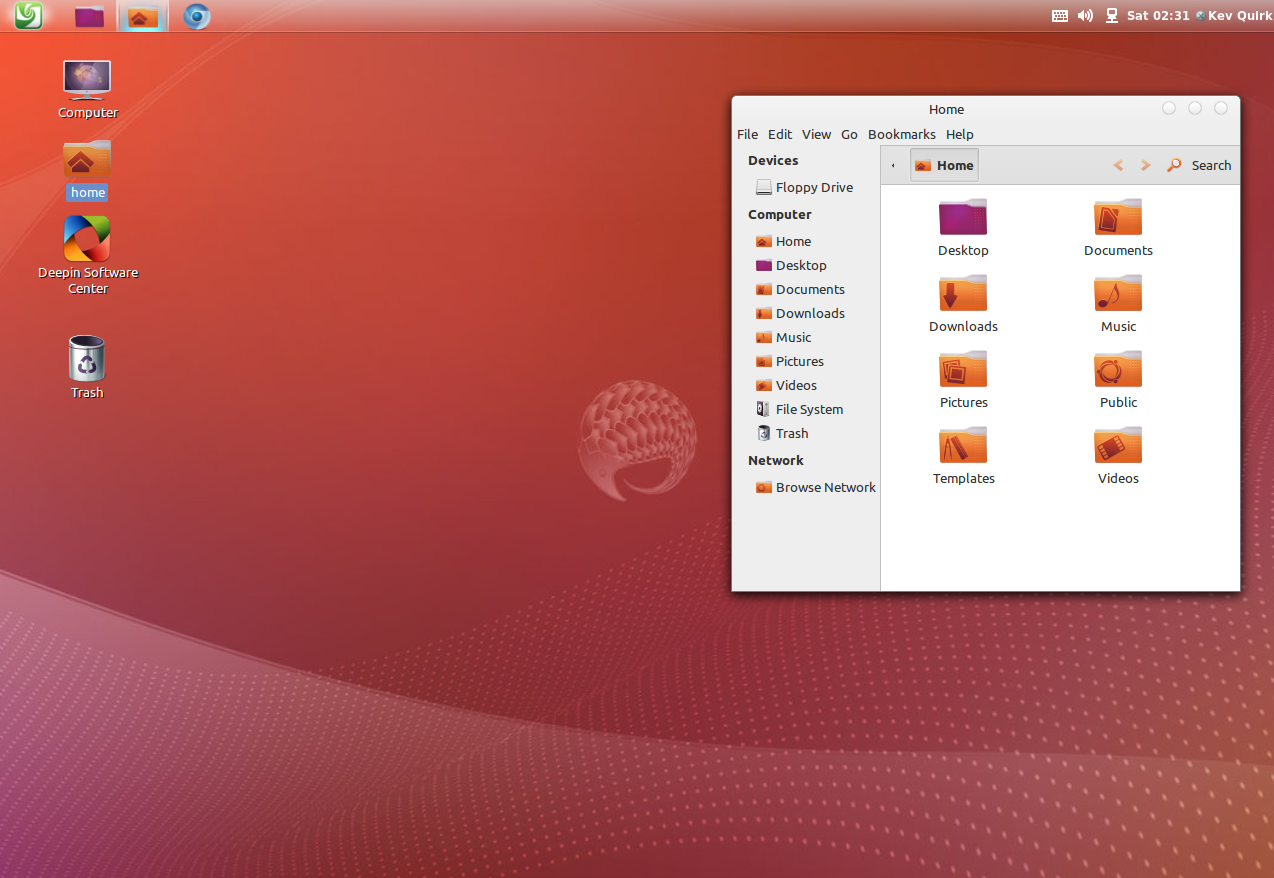
This ‘bad’ list is by no mean exhaustive and the items I’ve touched upon above are really down to personal preference which can be easily changed. Here is my Deepin VM after 10 or so minutes of customisation:
Conclusion
Linux Deepin is a fantastic distro. It looks great, is easy to use and is fast. This would be a great introductory distro for someone coming from Windows. Is it enough to tempt me away from my beloved Unity? Possibly! I’m going to play around with it some more and if I learn to like it even more then I may be replacing Ubuntu with Deepin, or at least dual booting – watch this space.
Have you used Linux Deepin? If so, why not tell us about your experiences of it in the comments section…










-
http://followthegeeks.com Mohamed Semlali
-
d.sp
-
http://profiles.yahoo.com/u/MBUWUCBTO3NHNDHZK2Q6RZMH4E Blammo
-
https://refu-archive.kevquirk.com/ Kev Quirk
-
-
http://www.facebook.com/mayank.agarwal.3785373 Mayank Agarwal
-
Jim