
 This article is over six months old. Which means the information below may be out of date. Please keep this in mind whilst reading this article.
This time of year is always an exciting time in the Linux world. This is because Ubuntu release a new version of their operating system and then, shortly after, the numerous Ubuntu based Linux distributions out there also release a new version. PinguyOS is one such distribution and in this article I will be reviewing it.
For those of you that don’t know PinguyOS, it is an Ubuntu derivative that is very much aimed at users that are new to Linux and Windows/Mac migrants. It has a lot of extra applications installed by default, for just about everything you can think of. This is so new users don’t have to find the best applications for most jobs – everything just works, right out the box. This isn’t my first experience of PinguyOS, I am actually a moderator on the PinguyOS forums and I am also the creator the new PinguyOS website.
The first thing you notice when you boot up into PinguyOS is that the default desktop is very busy. With gnome-shell as the basis, it has extras such as two docky bars, conky (the system information menu to the right of the screen), cardapio and numerous icons in the top panel. Personally I like a minimal looking desktop so for me this has just too much going on – but it’s nothing that can’t be easily changed in around 10 minutes flat.
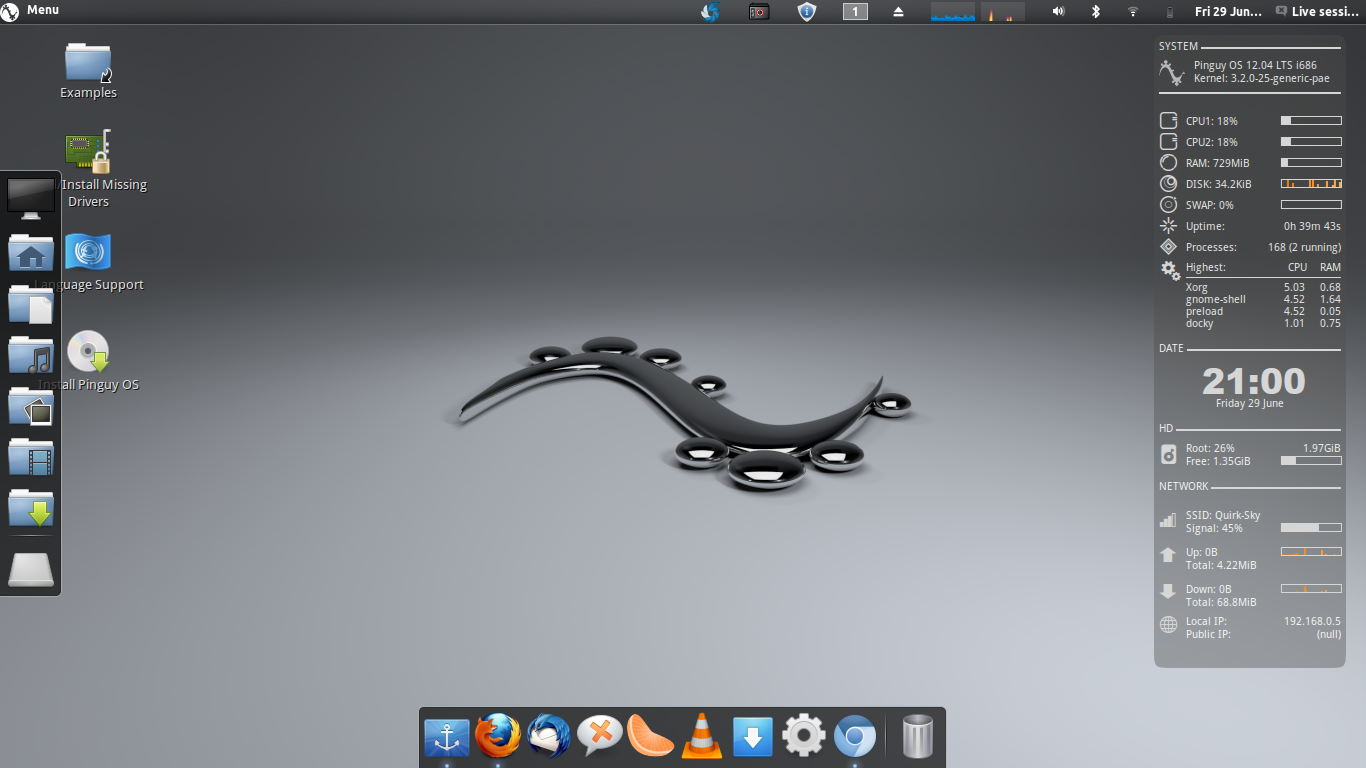
PinguyOS 12.04 Default Desktop
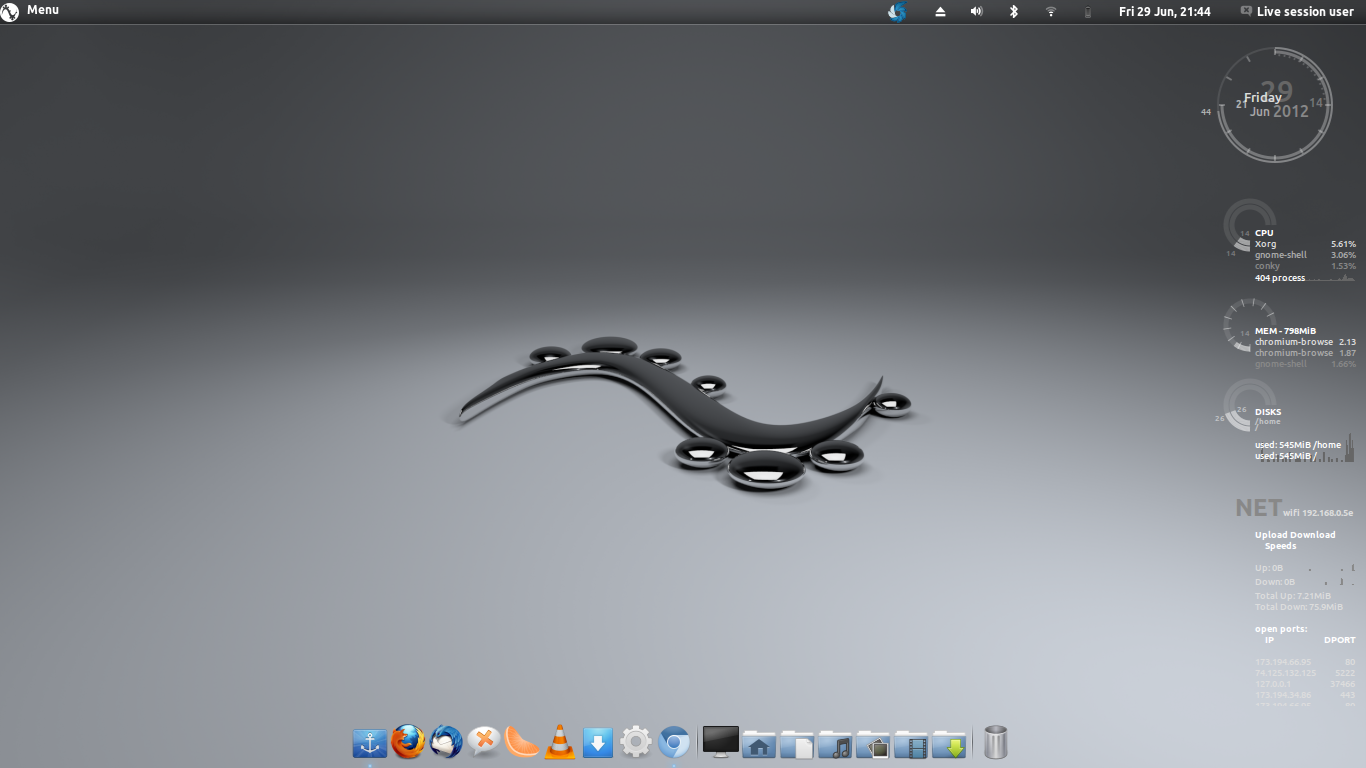
PinguyOS 12.04 desktop after 5 minutes work
Performance
I ran PinguyOS 12.04 in live mode from a 16GB USB stick. Loading up the OS was surprisingly quick for something running from a USB pen. However, I did find that there were numerous crashes and problems whilst running it live. Every now and then the system would completely lock up for a couple of seconds – very annoying after a while. This was all probably due to the fact that I am running it in live mode as I haven’t seen any evidence of this problem in the PinguyOS forums.
PinguyOS is quite system heavy. The laptop I am using this on is pretty powerful with 6GB RAM, I currently only have Firefox (1 tab), Shutter & Chromium (3 tabs) running and conky is currently showing as having 745MB RAM in use, which is a lot! This number also seems to be steadily climbing. So maybe PinguyOS 12.04 isn’t the best if you have an old or poorly specced machine.
I’ve made no secret about the fact that I think Gnome-Shell is a horrendous piece of software; but PinguyOS makes Gnome-Shell usable for me. So if I can bear it then I’m sure that most people who like Gnome-Shell or are indifferent will really like the experience. One thing that I didn’t like was the fact that the super key (windows key) wasn’t bound to Cardapio. So, when I pressed it I got an extremely striped down Gnome-Shell interface asking me to search for applications. To me this is a waste as it completely bypasses the function that Cardapio was designed for – being a ‘start menu’.
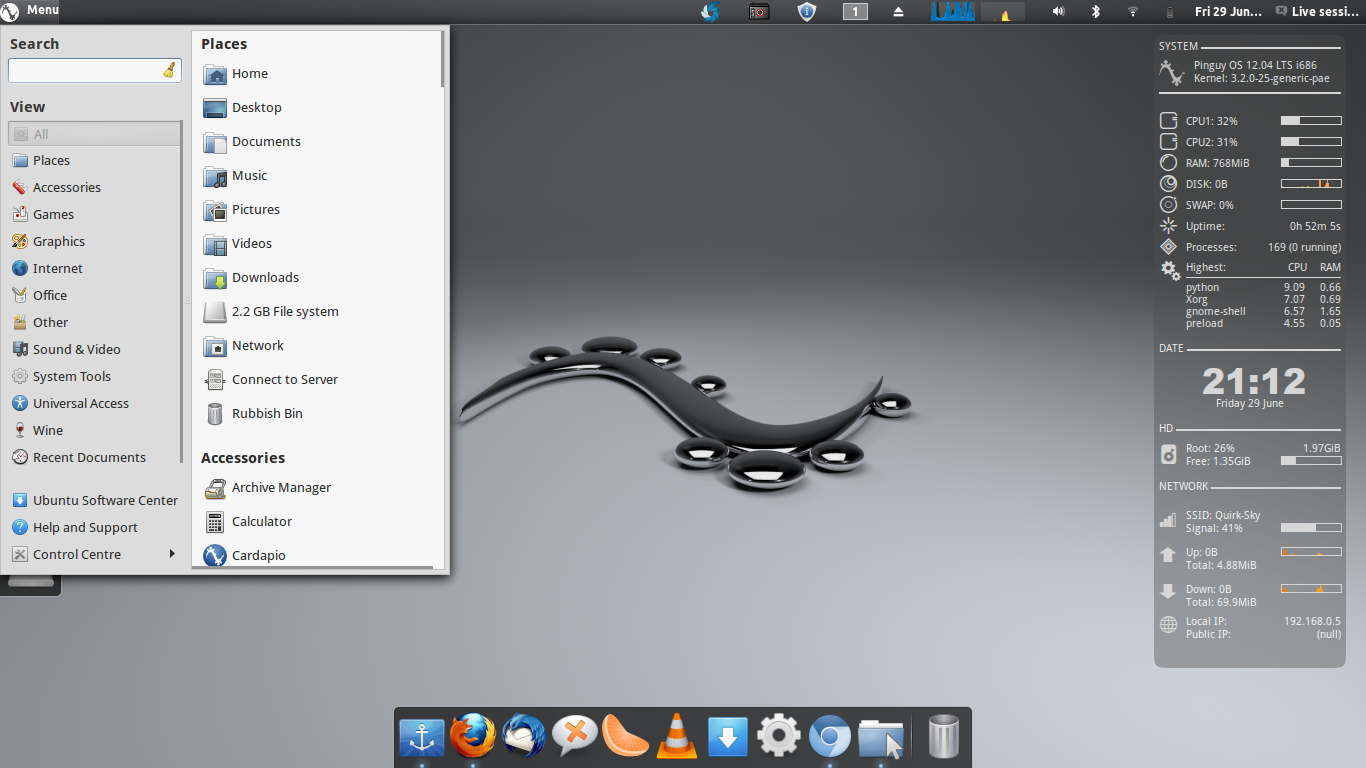
PinguyOS 12.04 Cardapio
Applications
I briefly touched on the fact earlier that PinguyOS comes with a tonne of extra applications by default. Some of the applications installed out of the box are as follows – Firefox, Thunderbird, XChat IRC, VLC, Shutter, Clementine, Dropbox, Ubuntu One, Docky, PlayOnLinux, Cardapio, LibreOffice…plus a many, many more. Basically, it will do pretty much anything you need it to do right out of the box. It’s even configured to work with Lightscribe drives!
For some reason, most of people think that a lot of applications means more system resources used. This is wrong, PinguyOS will require more storage space on your hard drive (around 6GB) but that’s it – an application will only use system resources like RAM and CPU when they are being used. If applications are not open then they just sit there doing nothing. So don’t think that you will need a powerhouse computer to run PinguyOS. Any decent CPU (pentium 3.0GHz or above) and at least 2GB RAM will have no problems with PinguyOS.
One thing that does really annoy me about PinguyOS is the sheer amount of Firefox plugins that are installed by default. I have just counted a whopping 18 extensions running in Firefox – this may be why I’m using so much RAM in my live session. Personally, I use Chrome/Chromium with only 2 extensions - LastPass & FTP so I think that 18 extensions is far too many and are probably not required.
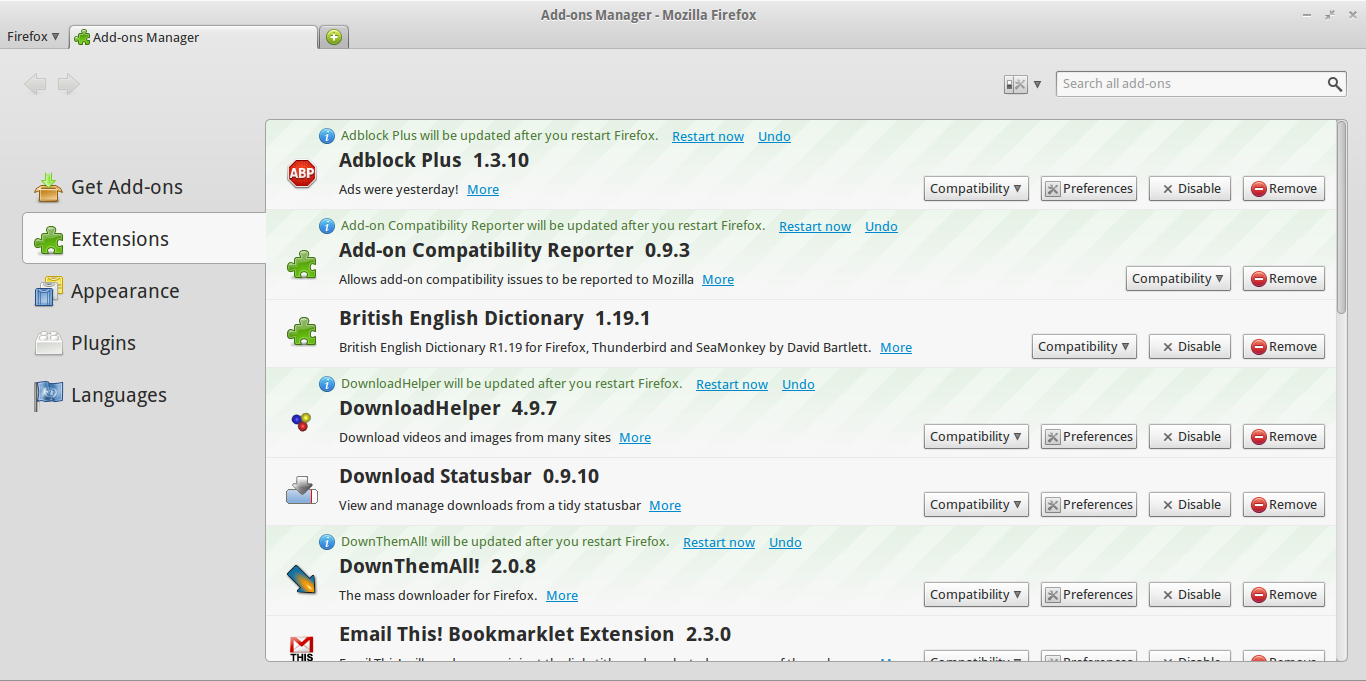
Some of the PinguyOS Firefox Extensions
Overall Look & Feel
PinguyOS 12.04 is extremely polished. The default theme is the Elementary theme and Blue icons. This Grey/Blue theme is continued throughout the OS and looks brilliant. The default wallpaper (shown above) also looks great. Ubuntu is getting better at theming it’s default desktop to make it look good, but I still do some tweaks to make it look more appealing to me – on PinguyOS 12.04 you don’t have to do this. It simply looks awesome straight out of the box.
PinguyOS 12.04 does also come with some other themes installed by default that all work really well with the default Grey/Blue colour scheme. These can be managed via ‘Advanced Settings’ again, installed by default.
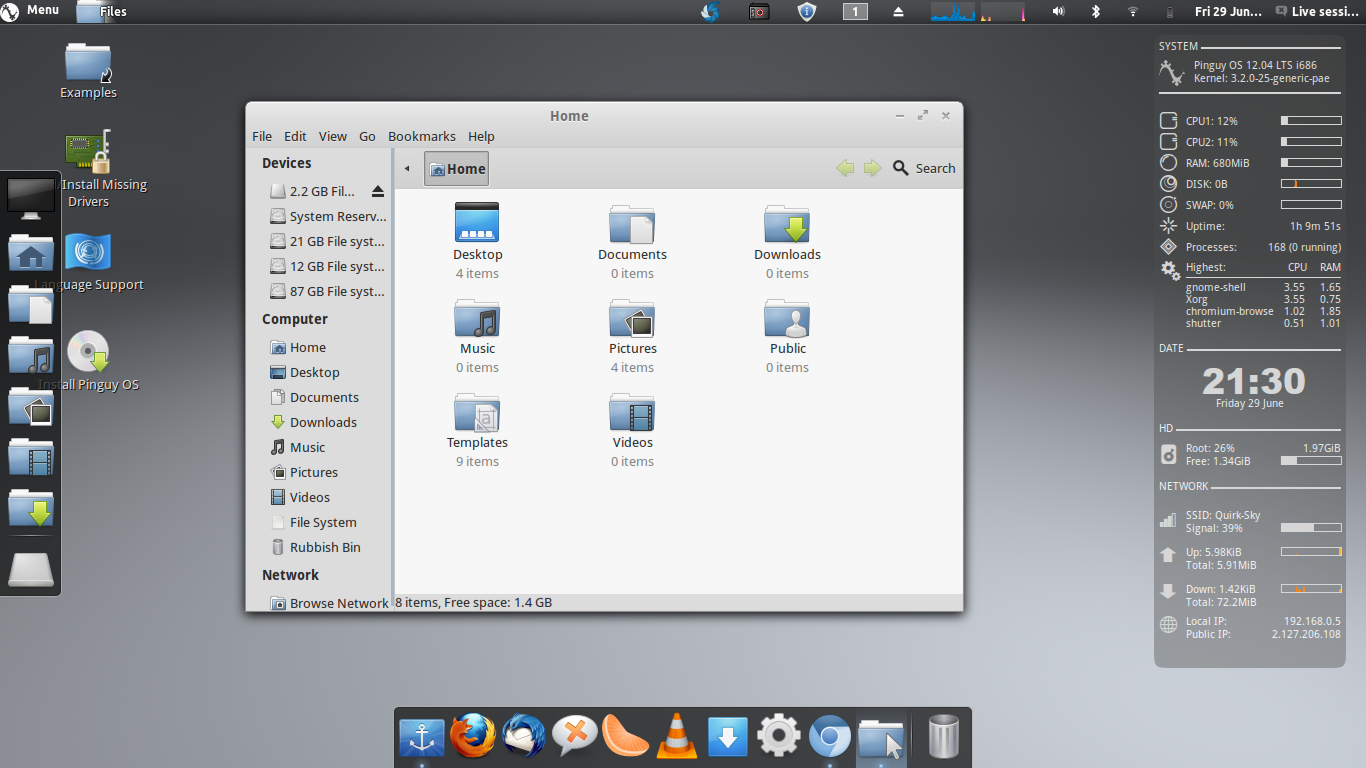
Default Look Of PinguyOS 12.04
Conclusion
Overall PinguyOS 12.04 is a great Operating System that will do everything you need from an OS and more, with little or no effort. So if you’re thinking about moving over to the Linux community or if you want to jump ship from Windows because of the impending doom that is Windows 8 then you should take a look at PinguyOS 12.04. For me personally, I loath Gnome-Shell so even though PinguyOS make it bearable for me, I still prefer Unity for now.
If you want to find out more about PinguyOS 12.04 or to download, check out the buttons below. Do you use PinguyOS 12.04? Let us know what you think about it in the comments section.



Pingback: 5 Ubuntu alternatives value checking out | DailyGadgets
Pingback: 5 Ubuntu alternatives worth checking out | Install Ubuntu
Pingback: NUTesla | The Informant » 5 Ubuntu alternatives worth checking out
Pingback: 5 Ubuntu alternatives worth checking out « Surya R Praveen