
Raspbmc – Turning The Raspberry Pi Into The Perfect Media Centre


The Raspberry Pi is probably one of the most innovative devices released in the last 5 years, it really does bring computing to pretty much anyone. If you have £30 spare then you can have one of these great little computers yourself.
The Raspberry Pi itself is a self contained computer that is only the size of a credit card, bash an SD card inside and you have the makings of the perfect little computer. The small size of this device makes it perfect for media centres and that’s why I bought one.
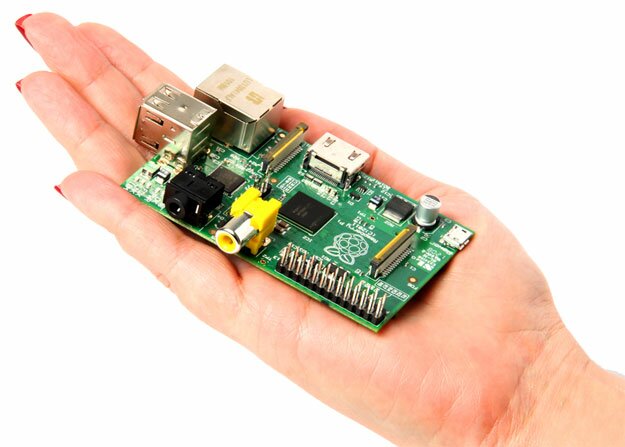
There are many operating systems available for the Raspberry Pi, some officially supported and others community driven like Raspbmc. As you have probably guessed by the name, Raspbmc is a version of XBMC that is specifically designed for the Raspberry Pi.
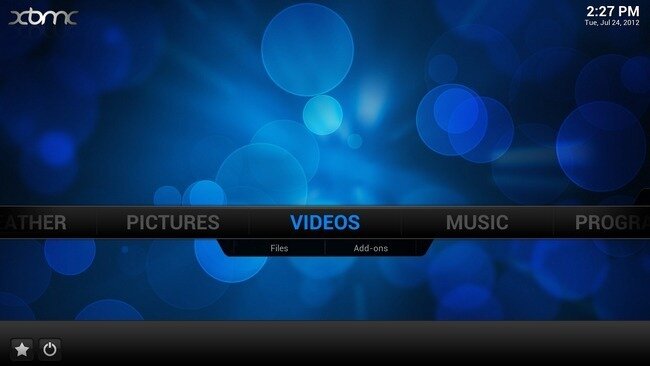
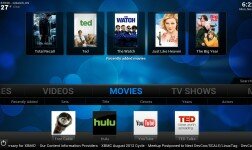
Raspbmc Home Screen
Raspbmc is very easy to install, all you need to do is plugin your SD card to a machine and install Raspbmc to the card. There are official guides available for both Windows and Mac/Linux users. Once installed you simply connect your Ethernet and HDMI up and away you go.
Does it work well as a media centre?
In short, absolutely yes! I have an Xbox 360 in my living room that I use to stream media from my NAS drive. But I’m using my Raspberry Pi in the bedroom. Raspbmc can easily be connected to pick up all the media on my NAS and stream it to the bedroom. Music, video and pictures – it’s all there. You can even install addons that let you stream content directly from the internet.
A Raspberry Pi running Raspbmc really is the perfect media centre for anyone needing a small device that can stream content over a network or over the internet.
Do I need a keyboard & mouse?
Nope. All you need is an Android or iOS device and the official XBMC remote app. Install this app, connect your device to your Wi-Fi and configure it to connect to the IP address of your Raspbmc media centre and away you go! You can control everything on your media centre from anywhere using your mobile phone or tablet.
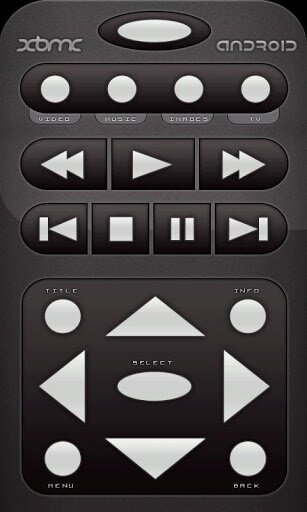
XBMC Remote on Android
Conclusion
There are other operating systems out there for the Raspberry Pi that claim to turn the device into an all singing, all dancing media centre and I have tried many of them. However, Raspbmc is by far the most polished and well put together media centre solution for the Raspberry Pi. Running the XBMC core give Raspbmc a fantastic basis to work on.
If you’re after a media centre for your bedroom, or anywhere in your home for that matter, you really can’t go wrong with a Raspberry Pi running Rasbmc.
Do you have a Raspberry Pi running as a media centre? Tell us about your setup in the comments section…



Pingback: What do you use your Raspberry Pi for? | RefuGeeks()
Pingback: What do you use your Raspberry Pi for? | FOSS Advcocates()