The Brand New Calligra 2.6 Released

Contents
A few hours before KDE SC 4.10 should be delivered, Calligra 2.6 is already available. For those who don’t know, Calligra is the Office Suite of the KDE project after the split of KOffice. In the menu, many surprising novelties, but enough talk, let’s look at what this version has to offer…

Principal new features
Unlike other Office suites, Calligra carries two types of applications: Production (spreadsheet, wordprocessor, Kexi, Plan) and Artistic (Krita).
Production applications
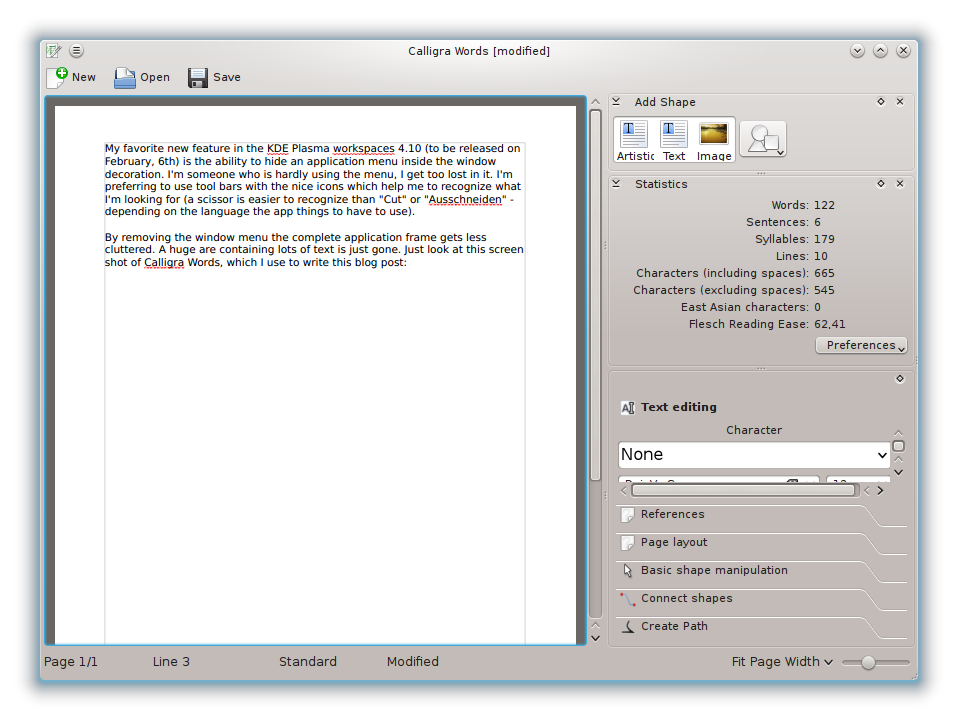
- Author : Who knows Author? It’s okay if you do not know this is one of the main novelties. Author is a word processing application, designed for writers. It allows the creation of articles, in EPUB2 and MOBI formats . It also refines statistical data of documents (the number of words, syllables, recognition of characters with or without spaces etc …).
- Stage : Presentation tool (like Powerpoint or Impress), it now has a Framework Class Library used to create and manipulate animations.
- Kexi : Database manager, which improved management of user data, import and export CSV files, and the visualization of the tables.
- Flow : The application diagram creation, has better connectivity.
- Plan: Project Manager, which has undergone a lot of improvements. Especially at the calendar, with a more fine granularity, and update information. Improvements have also been made on performance charts, project creation and reports management. And finally, many bug fixes were made.
- Words : The panel layout has been completely revised, and small adjustments in dialogue boxes and tools have been undertaken.
- Sheets : Finally, there is the following spreadsheet Calligra, it will carry this new version a new implementation of the optimizer function, also known as a Solver, and finally the standard scripts are localized
Artistic applications
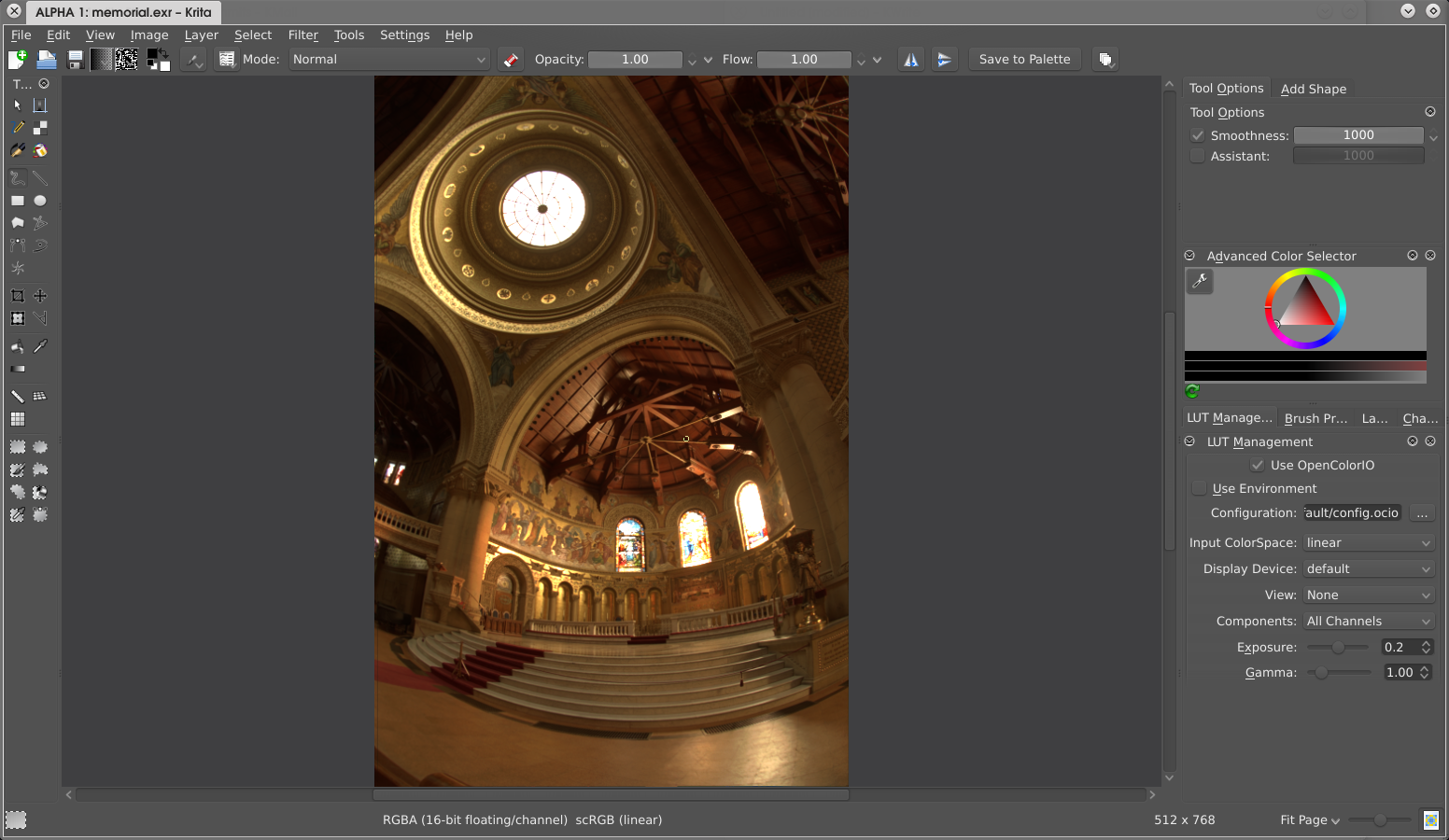
- Krita : The drawing application, now has a new support for OpenColorIO which is necessary for the motion picture industry. The design of HDR images is facilitated, there is also the integration into the workflow GFX. OpenRaster standard management is updated. Optimisation of the reactivity and the fluidity of use has been made, including in the “vc” library, and several brushes … Moreover, Krita is now able to save as PSD (Photoshop) as well as CMYK and RGB mode.
- Karbon : More known as Karbon 14, it is a vector drawing application. No major changes for this ODG, SVG, WPG, WMF, EPS / PS (reading) formats editor, it can also save to ODG, SVG, PNG, PDF and WMF. Extensions can be made by plugins for new tools and new predefined shapes, in addition to traditional vector editing features.
This new version also brings new common features to different applications. Among which:
- Improved formatting, graphical rendering diagrams and mathematical formulas.
- Improved support for Open Document Format.
- Improved Microsoft Office filters.
- Support of two formats Epub and Mobi.
The version for touch-screen devices, is also improved:
- The implementation of a new selection tool slide.
- The starting time has also been improved.
- Change slide during a presentation can now be done by shaking the device.
How to install
To install on Ubuntu and distro’s based on it, a PPA is provided. To test version updated daily, simply type:
sudo add-apt-repository ppa:neon/ppa
sudo apt-get update
sudo apt-get install project-neon-base
sudo apt-get install project-neon-calligra
sudo apt-get install project-neon-calligra-dbg
For Archlinux, version 2.6.0 is already available for installation, you must enter:
pacman -Sy testing/calligraConclusion
Calligra 2.6, seems to be a version that breaks away from everything that has been done before. It embeds many new features, new scripts but the most striking thing is the attention to detail given to this office suite. It therefore appears to be a serious competitor to LibreOffice!









![Half-Life & Counter-Strike Now Available On Linux [Beta]](/wp-content/uploads/2012/07/Steam_Logo-252x150.png)