
Tidy Your Windows Desktop With Fences

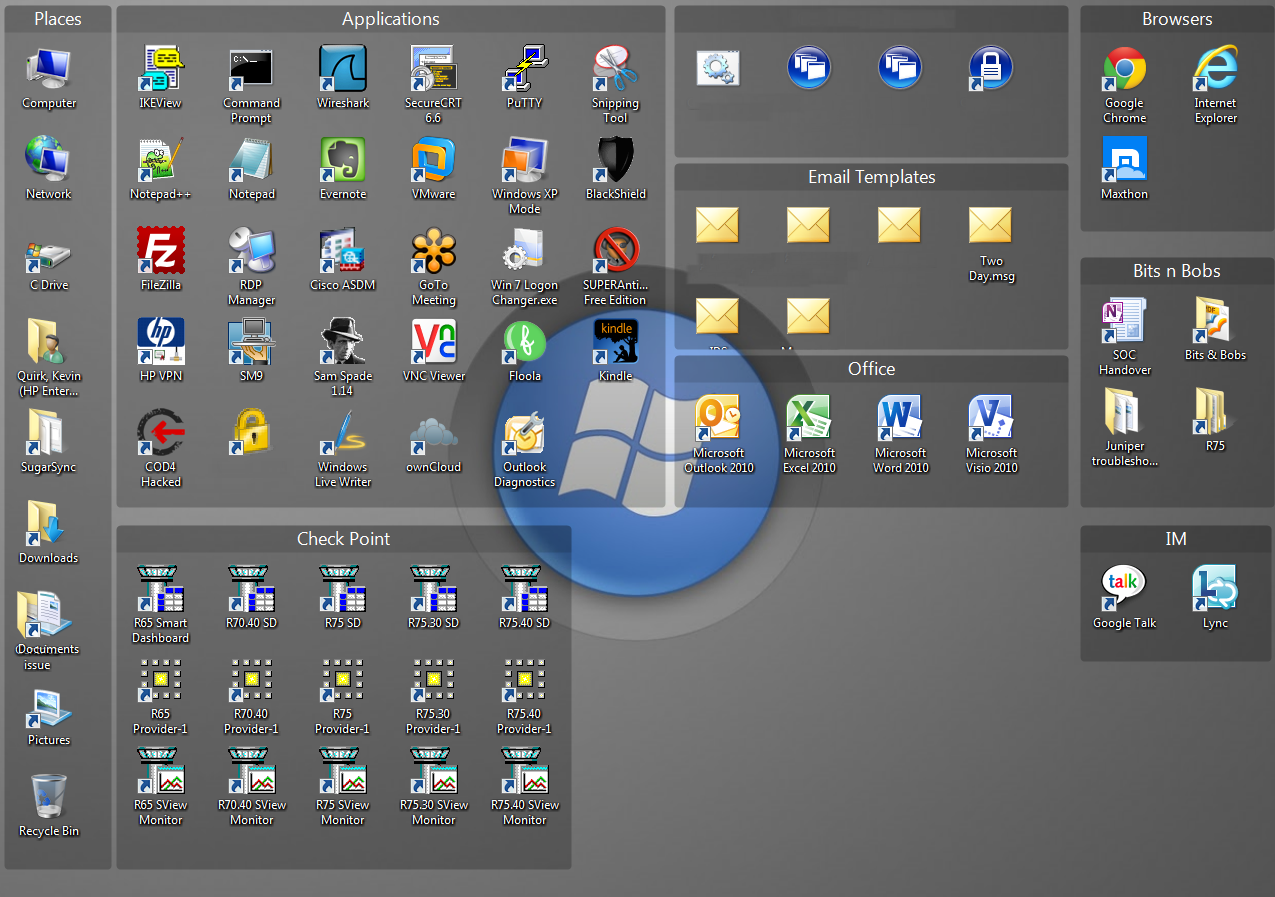
If you’re anything like me then you will like the convenience of having shortcuts on your desktop, but hate the cluttered look that it gives. Fences gives you the convenience of having shortcuts on your desktop yet a clean and organised look.
Fences allows you to group your applications together in a logical format so that you can easily identify different groups of application and file types. However, if you’re like me, you will prefer a clean look to your desktop and with Fences this is easy to accomplish. All you need to do is double click on your desktop and all the icons disappear, giving you a nice clean look to your desktop – double click again and they re-appear.
Furthermore, Fences allows you to customise the look of your “fences” so that they fit in with your desktop background so that its all themed nicely. There are numerous versions of Fences available, you can find more out about Fences from their website and you can download the free version using the button below. Here is a look at Fences in action:
Like this article? Remember to subscribe to our RSS feed or email newsletter to keep up to date with the latest articles on RefuGeeks.




![Encrypt Specific Files & Folders With AxCrypt [Windows]](/wp-content/uploads/2012/12/AxCrypt-Logo-252x150.png)


![[Infographic] The History Of Microsoft](/wp-content/uploads/2013/01/Microsoft-Logo-252x150.png)







![How To Protect Your Computer From Infection For Free [Windows]](/wp-content/uploads/2012/09/best-anti-virus-252x150.jpg)




-
françois kevin Bile Ebelle
-
http://www.linuxrants.com Linux Rants